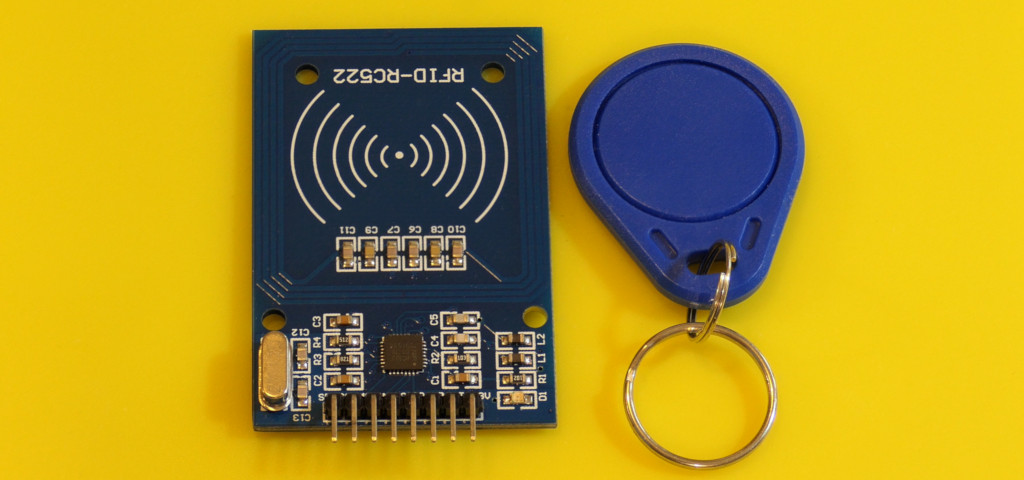
A tag can identify a storage bin, select a timer preset, or log a tool checkout. The RC522 is cheap and common, but its voltage requirements and identification limits are easy to overlook. This exercise reads a tag without modifying its contents.
Wire the reader and translation
Common RC522 boards use 3.3 V supply and logic. A regulator on a module does not automatically make its signal inputs 5 V tolerant. For this Uno example, translate the four controller outputs with a documented SPI-capable translator.
| Connection | Destination or purpose |
|---|---|
| Reader 3.3V / GND | Uno 3.3 V / GND; check module current requirements. |
| D10 → translator → SDA/SS | Chip select. The reader label SDA denotes SS in this mode. |
| D13 → translator → SCK | SPI clock. |
| D11 → translator → MOSI | Controller-to-reader data. |
| D9 → translator → RST | Reset. |
| Reader MISO → D12 | 3.3 V reader output to Uno input; short connection. |
| IRQ | Leave disconnected. |
A 74LVC125A specified for 5 V-tolerant inputs can provide the four downward translations when powered at 3.3 V. Connect its ground, bypass its supply with 100 nF, and tie the four active-low enables to ground. Follow the exact package drawing for its A-to-Y channels. A generic slow I²C level shifter is not automatically suitable for SPI.
Read a tag
Install MFRC522 through Library Manager, then upload:
Download the complete Arduino sketch
#include <SPI.h>
#include <MFRC522.h>
const byte selectPin = 10, resetPin = 9;
MFRC522 reader(selectPin, resetPin);

void setup() {
  Serial.begin(9600);
  SPI.begin();
  reader.PCD_Init();
  Serial.println("Present a compatible 13.56 MHz tag");
}

void loop() {
  if (!reader.PICC_IsNewCardPresent() || !reader.PICC_ReadCardSerial()) return;
  Serial.print("UID ("); Serial.print(reader.uid.size); Serial.print(" bytes): ");
  for (byte i = 0; i < reader.uid.size; ++i) {
    if (reader.uid.uidByte[i] < 0x10) Serial.print('0');
    Serial.print(reader.uid.uidByte[i], HEX);
    if (i + 1 < reader.uid.size) Serial.print(':');
  }
  Serial.println();
  reader.PICC_HaltA();
  reader.PCD_StopCrypto1();
}
At 9600 baud, bring a compatible card close to the antenna. The sketch prints every UID byte, including leading zeros, and the actual length. Remove the card and present it again for a new reading. It does not assume that every UID has four bytes.
Identification is not authentication
A UID is useful as a convenient label. It can be observed, copied, or emulated, and it does not demonstrate that an authorized person holds the card. This library and low-cost tag ecosystem should not be the sole credential for a real door lock, payment, or safety function.
Keep the first project read-only. Writing a MIFARE card requires understanding its sector layout, keys, access bits, and reserved manufacturer areas. A casual write to the wrong block can make a tag unusable.
Troubleshooting
- No reader response: check 3.3 V supply, common ground, short SPI wires, translator direction, and SS/RST pins. The library’s diagnostic examples can report the reader version.
- Reader responds but tag does not: confirm it is a compatible 13.56 MHz tag, not a 125 kHz fob.
- Only works intermittently: inspect solder joints and antenna spacing, and keep metal away from the coil.
Try a “tap a card to select a work timer” project before connecting any actuator. Consult the MFRC522 library’s compatibility and security notes, the reader datasheet, and the translator datasheet.