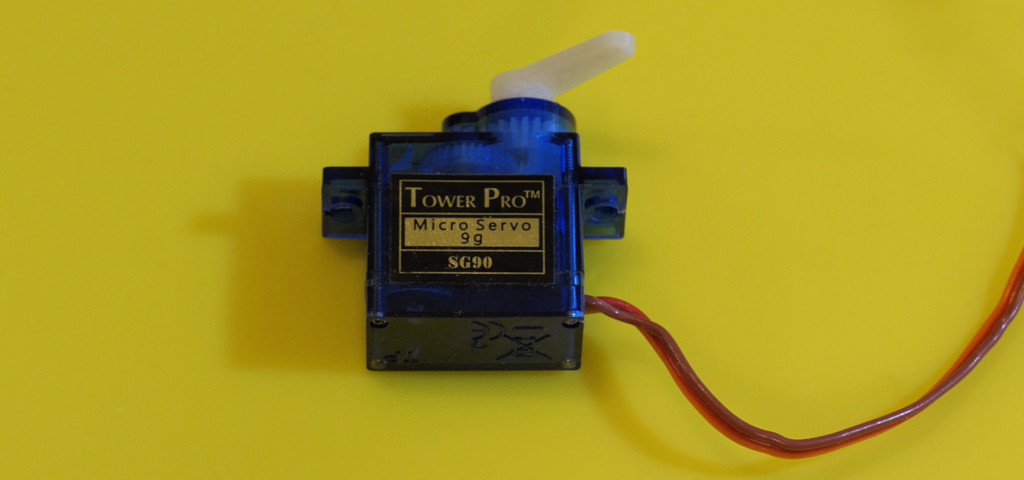
A positional servo stops when its feedback matches a requested position. A continuous-rotation version keeps turning because the input now represents speed and direction around a neutral command. This makes an inexpensive wheel drive, but it loses the original position control.
Choose the economical route
If the goal is a working project, a factory continuous-rotation servo is usually the simpler choice. Modify a spare only when learning about its feedback mechanism is part of the experiment. The modification is model-dependent and may be permanent; glued housings or integrated shaft sensors can make a particular servo unsuitable.
What the conversion changes
- With power disconnected, open the housing and photograph the gear arrangement.
- Identify the mechanical stop and how the output gear drives the feedback potentiometer. Do not remove gear teeth or bearing support.
- On a suitable design, remove only the rotational stop and decouple the potentiometer from the output shaft.
- Keep the potentiometer electrically connected and set it near its midpoint. If replacing it, use a divider equivalent to the original track and wiper arrangement, based on measured values; one arbitrary resistor is not a universal substitute.
- Reassemble and check that the gears turn freely. Perform the powered neutral adjustment with the case closed and the horn unloaded.
If the construction does not permit these steps cleanly, stop and use an unmodified continuous-rotation unit. You have still learned why the original servo needs feedback.
Wire and calibrate
Use the separate-power wiring: signal to D9, servo positive to its external rated supply, and all grounds joined. Leave the external positive separate from the Uno’s USB-fed rail.
Download the complete Arduino sketch
#include <Servo.h>
Servo motor;
const int stopUs = 1500; // Adjust for your servo's actual neutral.
unsigned long startedAt = 0;
bool moving = false;

void setup() {
  Serial.begin(9600);
  motor.attach(9);
  motor.writeMicroseconds(stopUs);
  Serial.println("f: forward, r: reverse, s: stop; automatic stop after 2 seconds");
}

void loop() {
  while (Serial.available() > 0) {
    const char command = Serial.read();
    if (command == 'f' || command == 'r') {
      motor.writeMicroseconds(stopUs + (command == 'f' ? 100 : -100));
      startedAt = millis();
      moving = true;
    } else if (command == 's') {
      motor.writeMicroseconds(stopUs);
      moving = false;
    }
  }
  if (moving && millis() - startedAt >= 2000) {
    motor.writeMicroseconds(stopUs);
    moving = false;
  }
}
Open Serial Monitor at 9600 baud. At startup the motor should stop. If it creeps, change stopUs by a few microseconds, upload, and repeat. Neutral is not guaranteed to be exactly 1500 µs. Send f or r for a short run and s to stop. The automatic two-second stop limits a forgotten command during the bench exercise.
Know the limits
A larger offset from neutral usually means more speed, but the relationship is not a calibrated speed measurement. Load, supply voltage, and temperature affect it. “Run for one second” is therefore not a dependable instruction to move a precise distance.
Troubleshooting and useful extensions
- Will not stop: calibrate neutral, inspect feedback wiring, and check the external supply.
- Stops after part of a turn: the unit may still have a mechanical stop or may be a positional servo.
- Direction is opposite: swap the command labels or invert the pulse offset in software.
For a little conveyor or timed pointer, add a limit switch or encoder when the mechanism must verify its travel. A stepper is another low-cost option for slow counted movement. See the Servo library for pulse-width control.