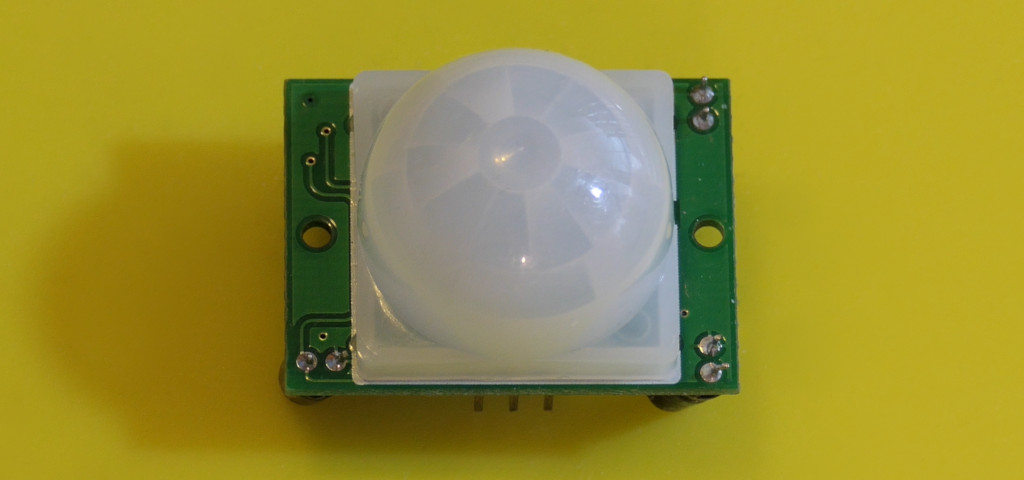
A PIR module is a good first motion sensor because it supplies a simple digital signal. Place it beside a doorway and watch the output change when someone walks across its view. This exercise reports what the module detected; it does not identify a person or prove that a room is empty.
Wire and position the sensor
| Connection | Destination or purpose |
|---|---|
| VCC | 5 V, after checking your module’s supply markings. |
| GND | Uno GND. |
| OUT | D2. |
Pin order varies among modules, so read the board labels. The common HC-SR501 uses a regulator and provides a roughly 3.3 V HIGH output, which an Uno R3 can read. Start with a short delay setting and moderate sensitivity. Do not infer potentiometer direction from a different module’s photograph.
Upload and walk across its view
Download the complete Arduino sketch
const byte sensorPin = 2;
const unsigned long warmupMs = 60000;
int previous = -1;
bool warmedUp = false;

void setup() {
  pinMode(sensorPin, INPUT);
  pinMode(LED_BUILTIN, OUTPUT);
  Serial.begin(9600);
  Serial.println("Allow one minute for PIR warm-up");
}

void loop() {
  if (!warmedUp) {
    if (millis() < warmupMs) return;
    warmedUp = true;
  }
  const int state = digitalRead(sensorPin);
  digitalWrite(LED_BUILTIN, state);
  if (state != previous) {
    Serial.println(state == HIGH ? "Motion output active" : "Motion output clear");
    previous = state;
  }
}
Open Serial Monitor at 9600 baud. Give the module about a minute to settle; your unit may need longer. The built-in LED follows its output. Walk across the lens’s field of view, stop, and watch how long the output remains active. Then compare movement directly toward the sensor.
Understand what it senses
The lens creates detection zones over a pair of infrared-sensitive elements. A changing thermal pattern produces the signal. The sensor does not send out an infrared beam, measure range, or count people.
The delay adjustment and retrigger jumper affect the output. In retriggering mode, more movement can keep it HIGH. A person sitting still may stop generating detections. A fan, sunlight, heating vent, pet, or a warm object near the sensor can change the result.
Turn the reading into an automation
For a desk reminder, record the most recent detected movement and apply a generous timeout. For a doorway counter, a single PIR is insufficient because it provides neither direction nor a reliable count. A reed switch can tell you whether a door is open; a radar presence sensor may help detect small movements, but neither makes the PIR more precise.
Troubleshooting
- Always HIGH: wait through warm-up, shorten the output hold time, and remove moving or warm objects from the view.
- No response: check supply, OUT pin, and ground, then try walking across the view.
- False triggers: relocate the sensor away from sunlight, drafts, and vibrating mounts before adding software filters.
Keep a log of both successful and false detections before using the signal in an automation. For range instead of motion, try an ultrasonic module. See Adafruit’s PIR guide for additional operating principles.